 Join our Discord
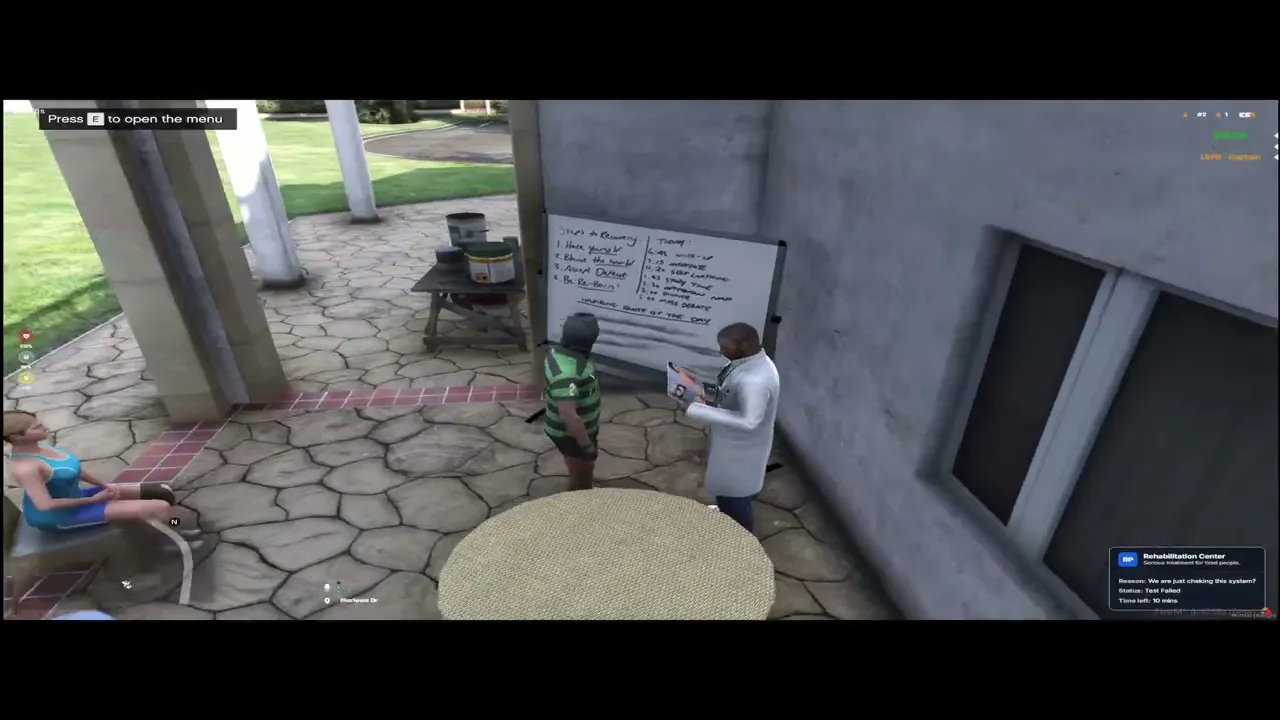
- This system is designed for punishing and re-educating players, using a unique "Test-before-Timer" and reputation system. Players must prove their knowledge to be able to start serving their punishment time. Main System Principle Unlike a standard jail, this system requires active player participation. The process is as follows: An administrator punishes the player, specifying the reason and (if they have permissions) the time. The player is moved to the rehabilitation zone, where their status is set to "Test Not Passed" (
testPassed = false). The assigned punishment timer (e.g., 40 minutes) DOES NOT START TICKING. The player must approach the NPC and successfully pass an RP rules test. Only after successfully passing the test does their status change to "Test Passed" (testPassed = true) and the punishment timer starts counting down. When the timer reaches zero, the player is automatically released. Most important rule: The time only starts counting after successfully passing the test. If the test is failed, the player will have to wait for a "cooldown" period (Config.FailedTestWaitSeconds, default: 1 hour) before trying again. Reputation System (RP Points) Every player in the system has reputation points (from 5 down to a negative number). This system directly impacts the consequences of the punishment. Start: Every player "starts" with 5 reputation points. Loss: Each time a player is punished (MakeRehaber), they lose 1 reputation point. Recovery: The system automatically restores 1 reputation point after a set time (Config.RehabResetTimer, default: 30 days) from the moment the punishment was received. Points are restored gradually, one by one. Reputation Consequences The reputation level determines what negative effects the player will experience in the rehabilitation zone. - Reputation 1-5: No additional restrictions. Reputation -1 or less: The player is forcibly placed in a wheelchair (
iak_wheelchair). If they leave the wheelchair, they will be automatically put back in. Punishment System and Time Calculation Administrators can issue punishments in two ways: with a set time (if they have thecan_custom_timepermission) or with an automatic time. Custom Time: The administrator enters the time in minutes, which is converted to seconds. Automatic Time (Escalation): If no time is specified, the system calculates it based on the player's offense history (timesIn). Formula used:Config.RehabTimerInterval * (2 ^ (timesIn - 1))(default interval: 600s/10min). 1st time: 600 * (2^0) = 600s (10 minutes) 2nd time: 600 * (2^1) = 1200s (20 minutes) 3rd time: 600 * (2^2) = 2400s (40 minutes) 4th time: 600 * (2^3) = 4800s (80 minutes) And so on, the time doubles each time. All of this data (timesIn,curRep) is saved in therphab_playerstable. Each punishment is also recorded in therphab_logtable. Admin Panel Overview Administrators with the minimum required permissions (any 'can_' permission or 'admin_panel') can access the Admin Panel by typing /rehabadmin. The panel is divided into several tabs, each with specific functions. - Player Management Tabs These tabs are used for finding and punishing players. Access requires the can_punish permission. Punished active players: This is the main dashboard. It shows all players currently in the rehabilitation system (secondsLeft > 0). From here, you can search, view details, and edit punishments. Online Players: Shows all players currently on the server. You can punish them or view their details (punishment history). Offline Players: Allows you to search the players database for offline players by name or identifier and issue a punishment. System Management Tabs Admin Management: Requires can_manage_admins. This tab allows you to add, edit, or remove other administrators from the rehab system. You can granularly assign permissions for every action (e.g., can they punish? can they edit time? can they manage other admins?). Admin Log: Shows a filterable, paginated log of all actions performed by all administrators (all entries from rphab_log and rphab_edits_log). Statistics: Shows a dashboard with Key Performance Indicators (KPIs), leaderboards (top admins, top offenders), and charts for system activity. Content Management Tabs These tabs are dedicated to editing the UI content and test questions. Access is controlled by two specific permissions: can_edit_content: Grants access to the Documentation, Rehabilitation, and Rules tabs. Admins with this permission will see an "Edit" button, allowing them to change the HTML content of these pages directly from the UI. can_edit_questions: Grants access to the Question Management tab. This permission is separate from can_edit_content and allows for managing the test itself.
- How to use Question Management (can_edit_questions): Add New Question: Click the "Add New Question" button. A modal window will appear. Fill in the "Question Text" field. Add Answers: Fill in at least two (2) answer fields. You can add up to four (4). Mark Correct Answer: You must select one radio button next to the correct answer. Save/Edit/Delete: Click "Save Changes". The question is now in the database. You can edit it by clicking the "Edit" button in the list, or delete it from within the edit modal. Test Integration: The system will now randomly pull Config.RPTest.NumQuestionsToAsk (default: 10) questions from this database pool every time a player takes the test. Editing Active Punishments (Admin Modal) Administrators with admin_panel permissions can edit active punishments (from the "Punished active players" tab). Each change requires a specific permission and is recorded in the rphab_edits_log table. Reason (can_edit_reason): Allows changing the punishment reason. Reputation (can_edit_rep): Allows manually changing the player's reputation points. Times In (can_edit_times_in): Allows changing the offense counter, thus affecting future automatic punishments. Time Left (can_edit_time): Allows changing the remaining punishment time (in seconds). Status Change Actions These buttons allow directly changing the player's punishment status: Stop Timer (can_status_stop): Sets the player's status to
testPassed = false. This effectively stops the timer (if it was running). Start Timer (can_status_pass): Sets the player's status totestPassed = true. This starts the timer (if it was stopped). Fail Test (can_status_fail): SetstestPassed = falseAND assigns a 1-hourmustWaitperiod during which the player cannot take the test. Remove From Rehab (can_status_remove): Sets the player's punishment time (secondsLeft) to 0 and releases them from the zone. The action is recorded inrphab_logasreleased_early. - Zone Protection (PolyZone) The rehabilitation zone is protected by
PolyZone(defined inrehab_zone.json). The protection works in two ways: For Punished Players (inHab = true): If a punished player tries to escape the zone, the client'sc_client.lualoop detects this and automatically teleports them back to theConfig.RPTest.PlayerSpawnpoint. For Outsiders (inHab = false): If a player who is not punished and is not staff (e.g., medic or police, defined inConfig.AllowedJobsandConfig.AllowedGroups) enters the zone: A 15-second warning timer starts, displayed in the NUI. If the player does not leave the zone within 15 seconds, they are automatically teleported to theConfig.RPTest.Exitpoint and receive a warning. After Config.MaxZoneWarnings (default: 3) warnings in one day, the player will be automatically punished and sent to rehab.
Config.lua
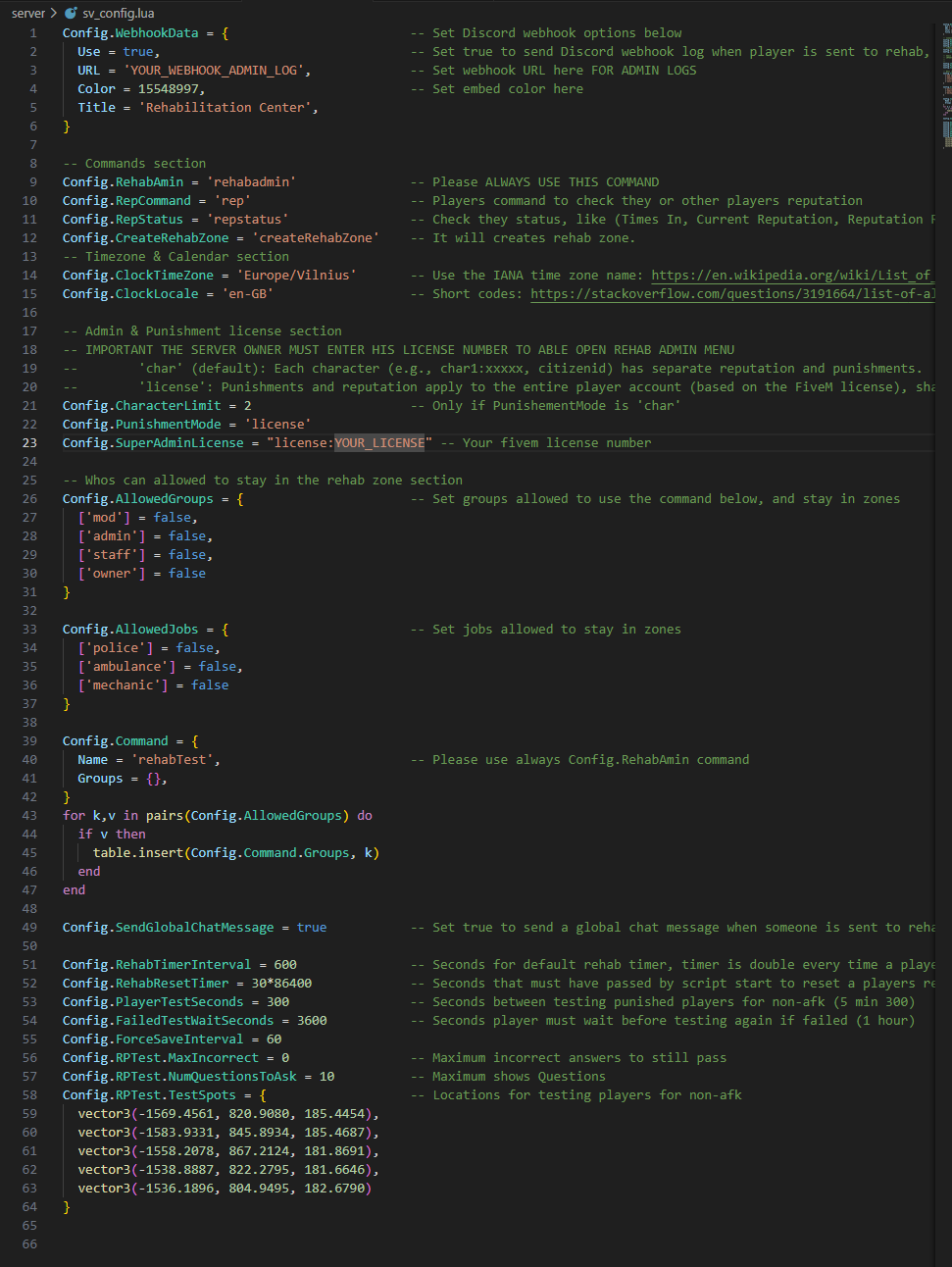
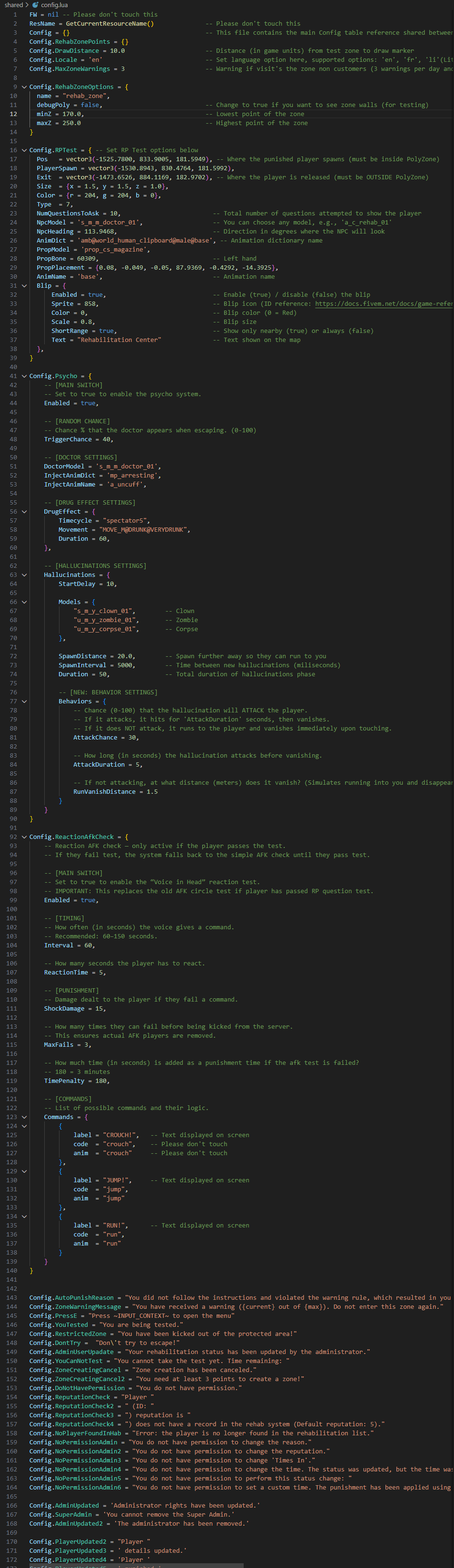
Dependencies: oxmysql, For zones (PolyZone or Ox_lib)
MORE INFORMATION: https://forum.cfx.re/t/rehabilitation-center-punishment-system/5369480
This system is covered by ESCROW.