 Join our Discord
Weapon Smoke & Heat System + In-Game Editor
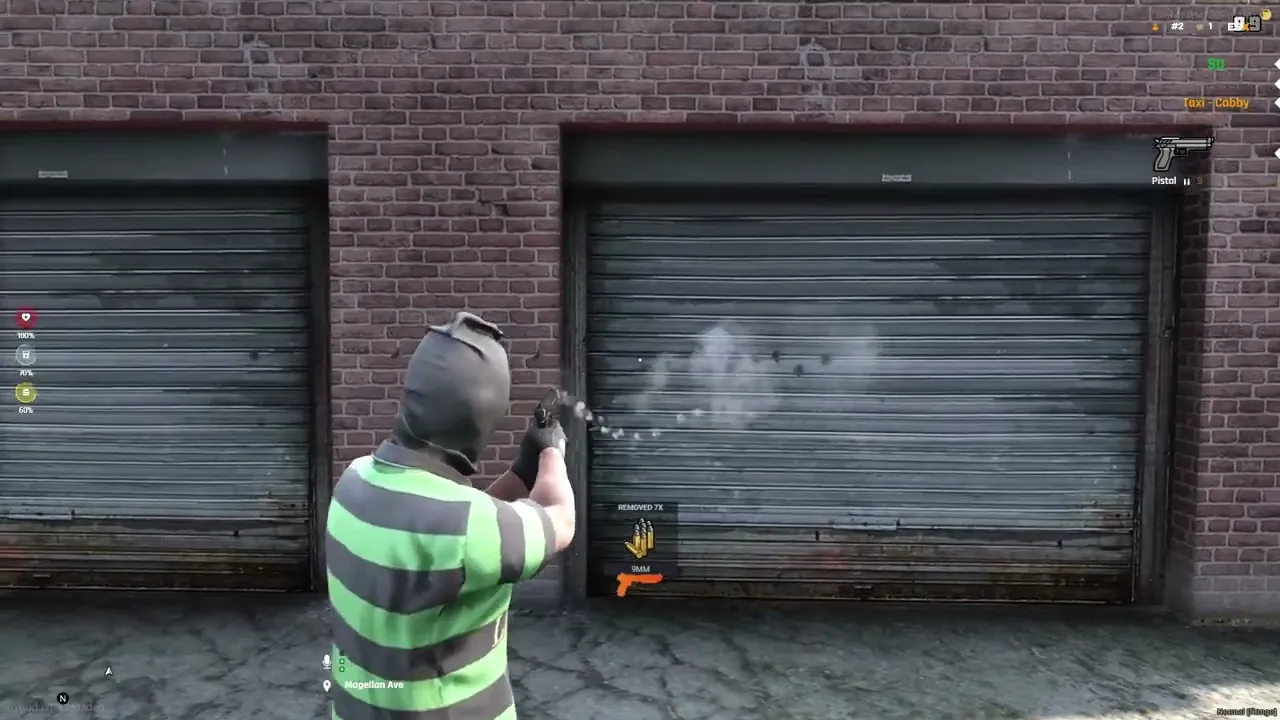
Hi everyone! I’m releasing a fully standalone Weapon Smoke & Heat Visual System aimed at bringing more immersion to gunfights. I created this because I thought it would be a cool addition for the community…
🌟 Key Features
-
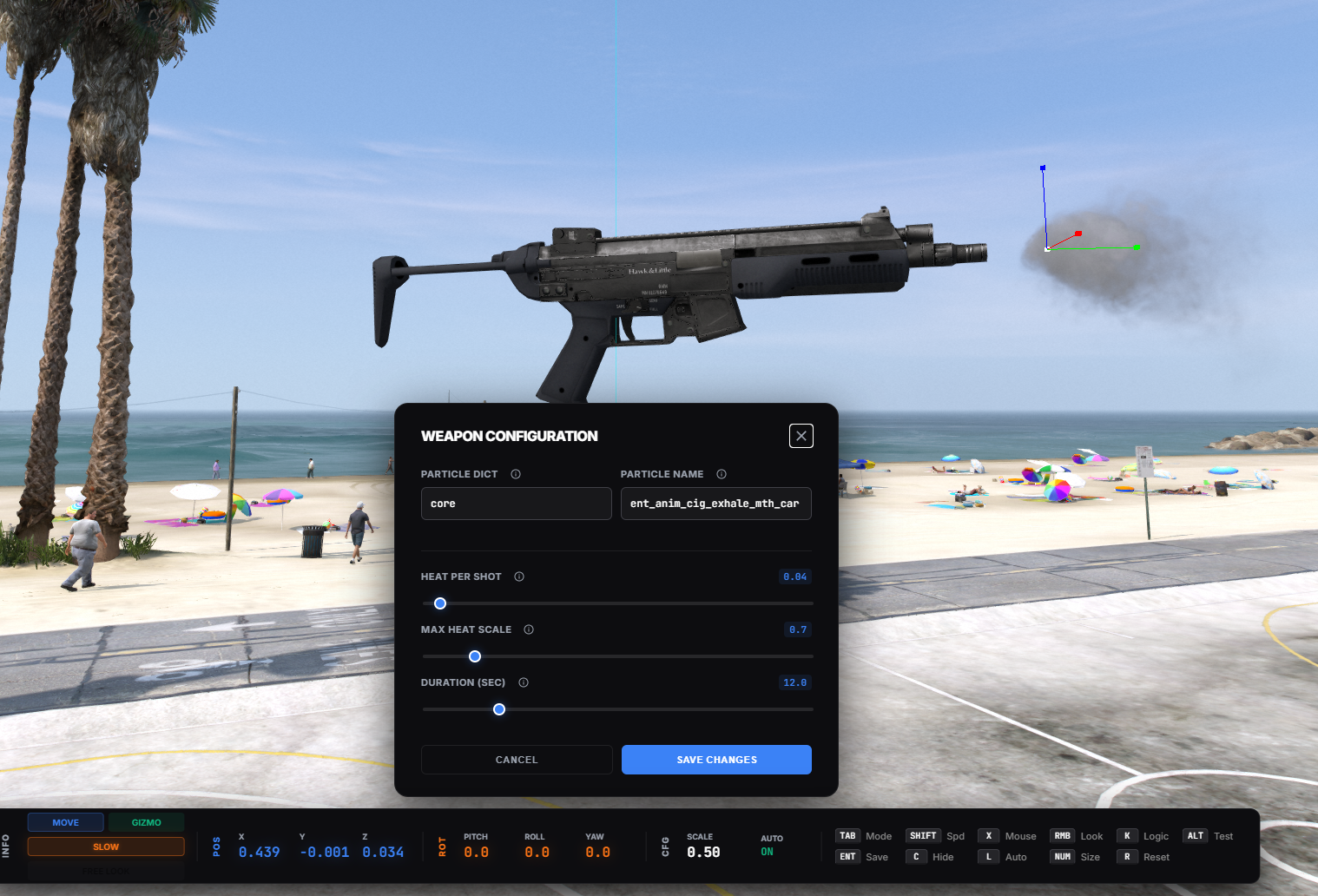
Real-Time In-Game Editor: No more restarting scripts to change positions! Press a key (default
/smokedebugcommand) to open a UI where you can position the smoke using a 3D Gizmo, rotate it, and scale it visually. -
Smart Heat Logic:
-
Heat Build-up: The more you shoot, the bigger and denser the smoke gets.
-
Cooldown: Stop shooting, and the barrel slowly cools down, reducing the smoke until it stops.
-
Last Shot Effect: Configurable “puff” of smoke when your magazine hits 0.
-
-
Per-Weapon Configuration: Every weapon can have unique settings (smoke size, duration, position, particle effect).
-
Fully Standalone: Works with ESX, QBCore, vRP, or no framework at all.
-
Secured: Uses Server-Side ACE Permissions (
smoke.editor) -
Holster Protection: Smoke stops correctly if you holster the weapon (no smoke coming out of your pocket).
-
Modern UI: Clean HTML/CSS Dashboard with tooltips explaining every setting.
🎮 How it Works
- Shooting: When a player shoots, the script calculates a “Heat Level” for that specific weapon.
- Visuals: Based on the heat level, a particle effect is played at the tip of the barrel (configurable per gun).
- Editing: Admins can open the editor, select a weapon, and adjust:
-
Position/Rotation (XYZ)
-
Particle Effect (Dictionary/Name)
-
Logic (Heat per shot, Max scale, Duration)
- Saving: Changes are saved to a JSON file on the server and applied instantly to all players.
🔒 Installation & Permissions
- Download and put into your
resourcesfolder. - Add
ensure intersystems_weapon_smoketo yourserver.cfg. -
Important: To use the editor, you must grant yourself the permission in
server.cfg:add_ace group.admin smoke.editor allow - Use command
/smokedebug(or configured key) to open the editor.
🕹️ How to Use
- Equip a Weapon: You must be holding the gun you want to configure.
-
Open Editor: Type
/smokedebugto open the visual editor. - Positioning:
-
Use your Mouse to drag the 3D Gizmo arrows.
-
Or use Arrow Keys / PageUp/Down for precise movement.
-
Press CAPSLOCK to switch between Move and Rotate modes.
- Logic Settings: Press K to open the Configuration Menu. Here you can change:
-
Heat per Shot (How fast it heats up).
-
Max Scale (How big the smoke gets).
-
Particle Name (Change the smoke style).
- Test It: Hold Left ALT to manually trigger the smoke effect and see if it aligns with the barrel.
- Save: Press ENTER to save changes. The config is updated instantly for all players on the server.
Update: v1.0.1 https://youtu.be/FblSc0MLsg0 (WEAPON JAMMING)